
Building a quote
Open Quotes to start a new quote. The builder is designed for a FIT-style itinerary, but it can also capture group rooming information where your workflow needs it.
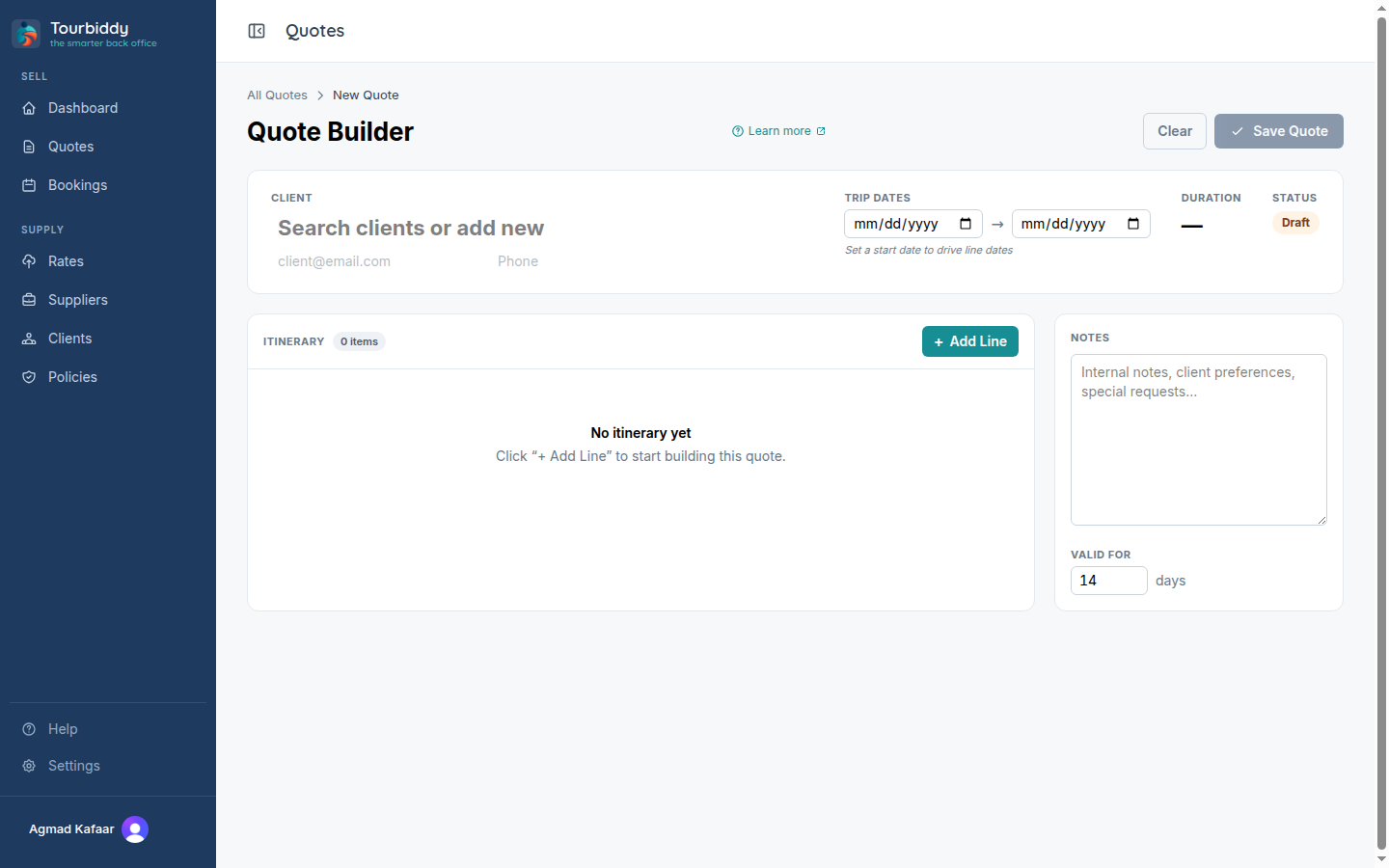
- Select an existing client, or start from the client shortcut. The client’s pricing defaults can be used as a starting point.
- Enter travel dates, pax, and the trip context. Keep adult and child counts aligned with the supplier’s policy.
- Add itinerary legs or lines in travel order. For each line, choose the service type and search published rates.
- Use any combination of Accommodation, Activity, Transfer, Tour, and CarRental lines. Add multiple properties and services when the itinerary requires them.
- Review quantities, nights, sharing arrangements, meal basis, supplements, and any included or excluded fees.
- Set or confirm the markup, then inspect the itemised price and total before saving.
The builder’s rate search uses the dates and occupancy you provide. If a rate is missing, return to Rates and check that its sheet is published, its season covers the travel dates, and the pricing unit matches the line. A quote can contain lines from different suppliers; check the supplier name on each result before selecting it.
Save the quote as a draft while details are still changing. When all lines and pricing are complete, move it to Priced. A draft is not sendable. Keep the source rate sheet and any manual assumptions available if a client asks how a total was calculated.