
Validating and publishing rates
Validation is the quality checkpoint between a supplier document and a live quote. Open a rate sheet from Rates and choose Validate. The page uses an editor suited to the detected type: Accommodation, Activity, Tour, Transfer, Park Fees, or Car Rental.
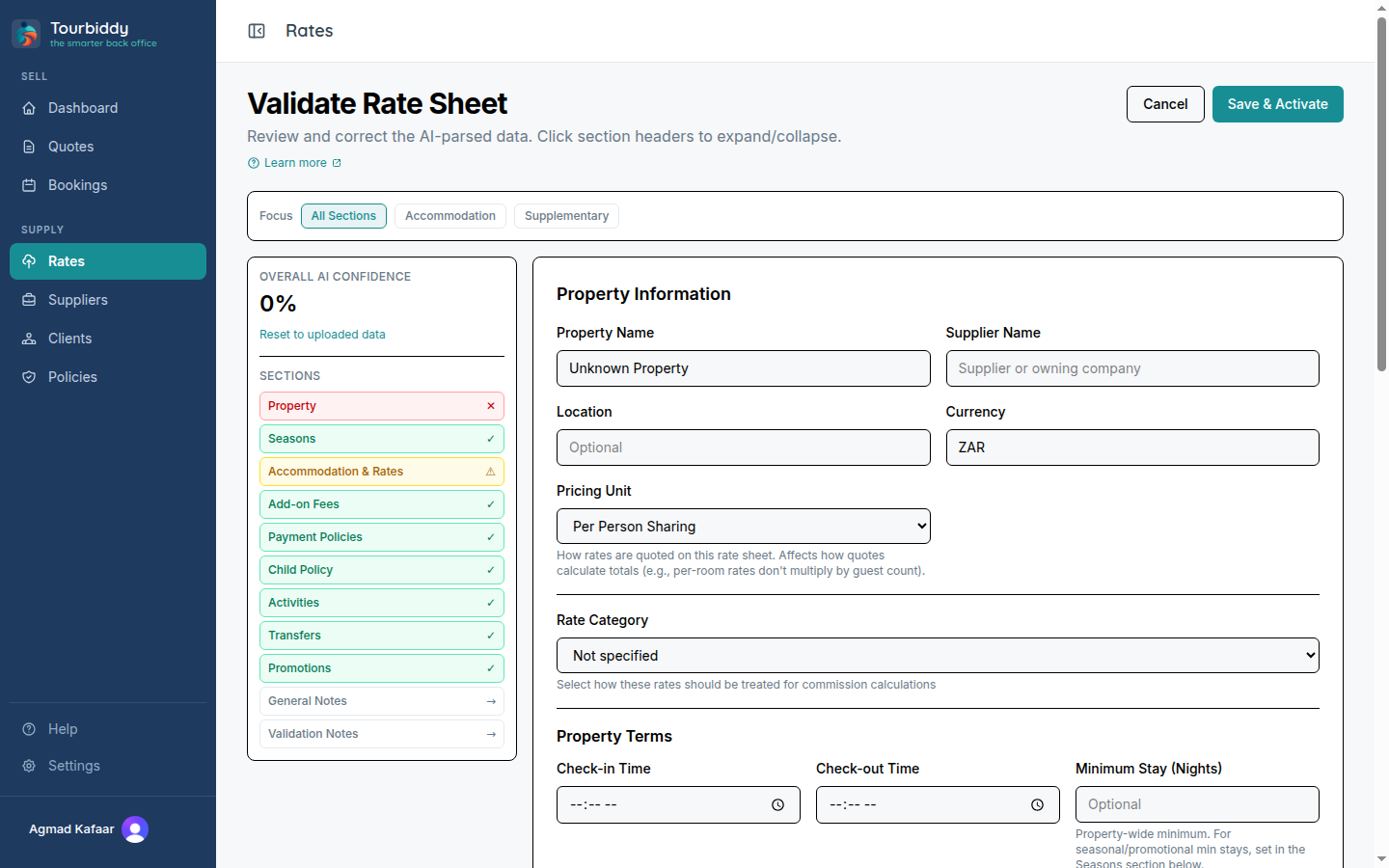
Check the fields most likely to change the client price:
- Confirm the supplier or property and currency.
- Check effective seasons, date boundaries, minimum stays, and blackout notes.
- Verify pricing units such as per person sharing, per room, per vehicle, or per service.
- Compare meal basis, single supplements, child policies, included items, and mandatory fees with the original sheet.
- Review the rate type and any commission or net-rate assumptions.
- Add validation notes for a colleague, save the draft, and resolve any missing required values.
- Activate or publish the sheet only when it matches the source.
Draft edits remain separate from published rates. A validation draft can be restored from the browser if you leave the page, and the manual wizard also saves drafts server-side. Publishing makes the rates eligible for the quote builder; changing the source document later does not silently update an already published rate.
If activation fails, keep the error visible and correct the underlying property, supplier, or required rate data. Do not quote from an unvalidated sheet. For a completely empty manual sheet, the app redirects you to the guided wizard instead of showing the full correction editor.