
Manual entry wizard
The manual wizard is available from Rates → New manual rate sheet. It guides you through one decision at a time and saves draft progress to the server, with an offline browser buffer for short interruptions. It supports accommodation, activity, tour, transfer, park-fee, and car-rental sheets.
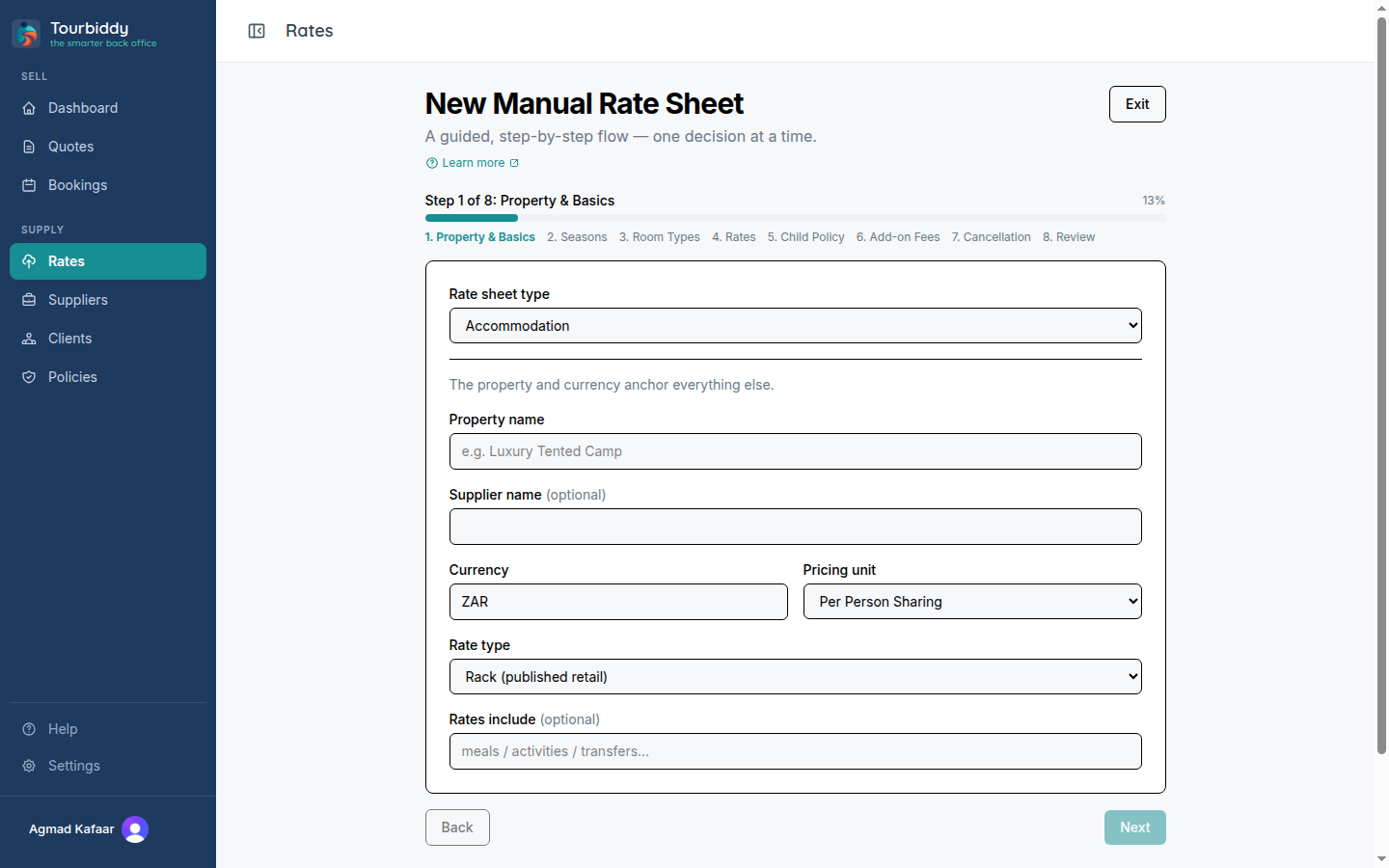
- Choose the rate sheet type and enter the supplier or property basics. Use the supplier’s exact service names because they appear on quotes.
- Set currency, pricing unit, and rate type. Accommodation sheets then move through seasons and room types before showing the rates matrix.
- Enter each rate. For accommodation, choose a meal basis and adjust individual cells when the supplier uses different meal inclusions by season.
- Add optional child policies, add-on fees, cancellation terms, or service-specific rows where they apply.
- Review the summary and activate the sheet when the required information is complete.
For an existing blank or partially parsed sheet, open its Wizard action from the Rates list. You can leave and resume the route /rate-sheets/{id}/wizard; the current step and draft values are restored. The wizard enforces dependencies such as creating seasons and accommodation types before entering accommodation rates.
If a manual sheet needs detailed corrections after rates exist, use the validation editor instead. The wizard is for guided creation; the validation page is for reviewing or correcting a structured parsed result.